
The HVEMS platform
Fleet, workforce and service jobs. Connected.
Fleet and equipment management
Know your fleet. Stay ahead of maintenance.
When equipment details and service dates live in different places, it’s hard to know which machines need attention next.
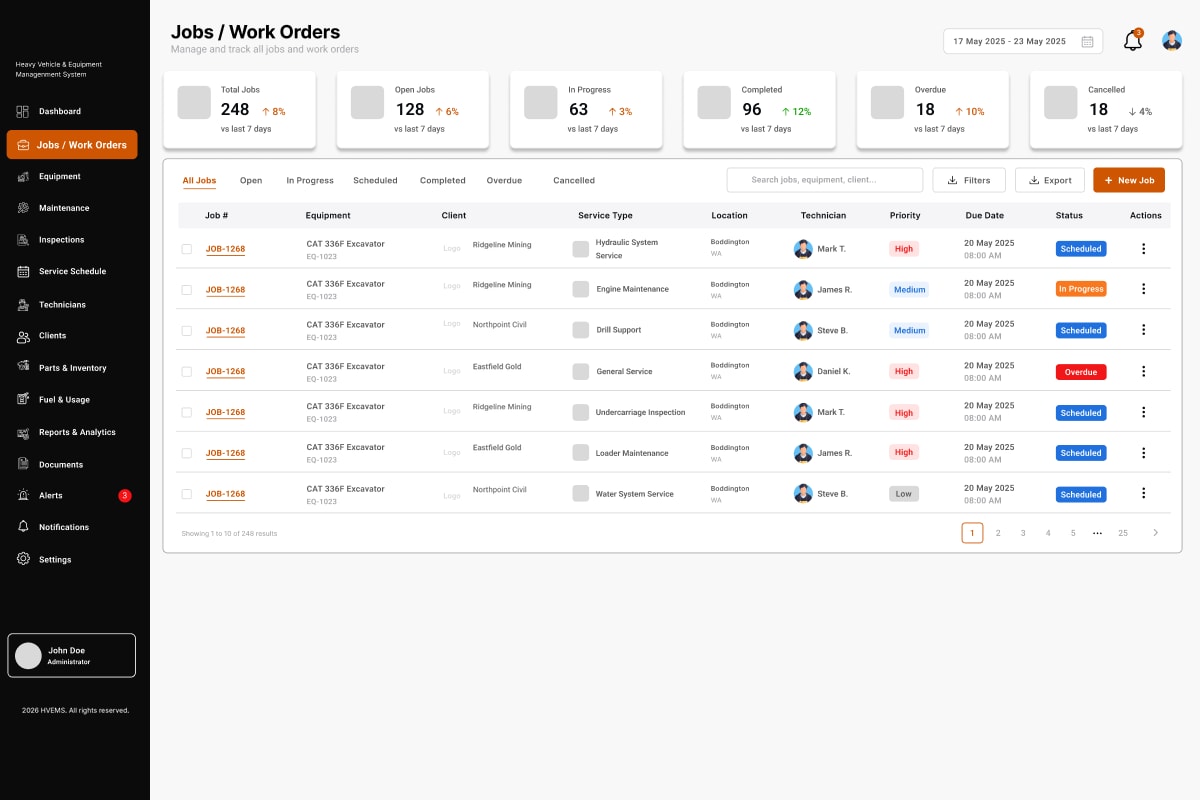
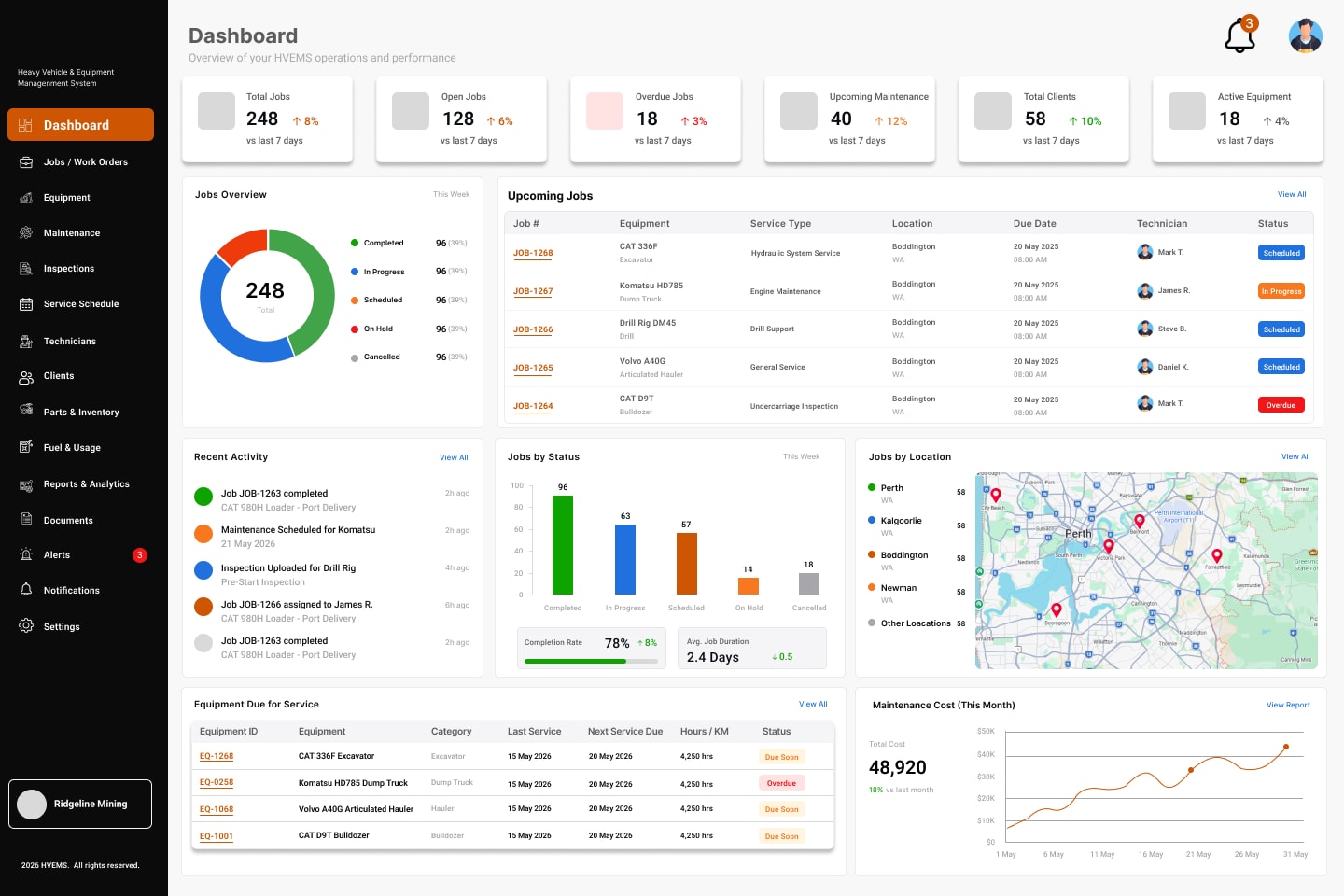
HVEMS keeps one register of your heavy vehicles and equipment, with meter readings and service status, and brings what’s open, overdue and coming up onto one dashboard.
- Equipment details, serial and rego numbers, location and client site
- Meter readings in hours or kilometres
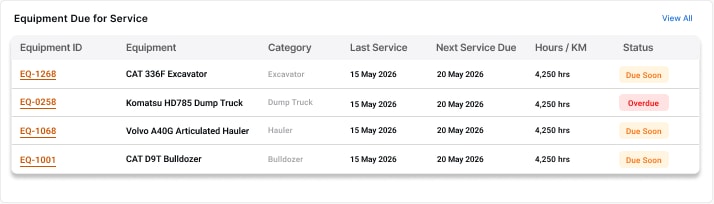
- Equipment due for service, flagged on the dashboard
- Service history and documents for each machine
For companies and fleet operators
Maintenance planning and work orders
Bring maintenance work into focus.
Services, inspections and repairs are easy to lose track of when they’re planned on whiteboards and handed out by phone.
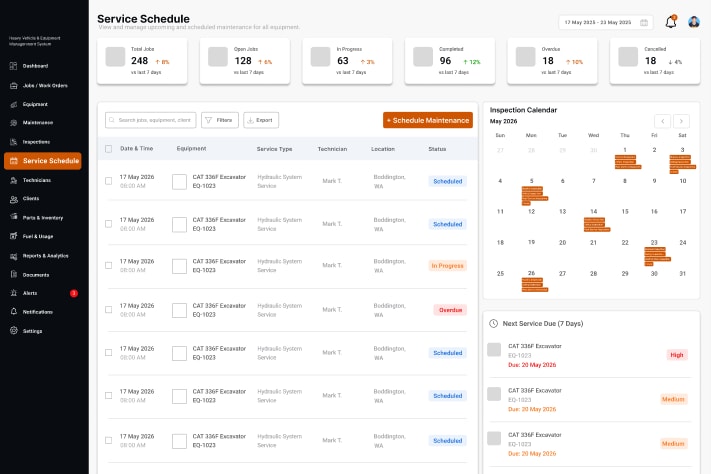
Schedule maintenance by date and interval, run inspections against checklists, and turn the work into jobs that are tracked from scheduled to complete.
- Service schedule with a calendar view
- Jobs and work orders with client, priority, due date and status
- Pre-start, routine and post-service inspections with defects recorded
- Parts and inventory used on each job
For companies and fleet operators
Internal workforce coordination
Keep your team connected to the work.
Without a shared view, it’s hard to see who is available, who is on which job and what’s still unassigned.
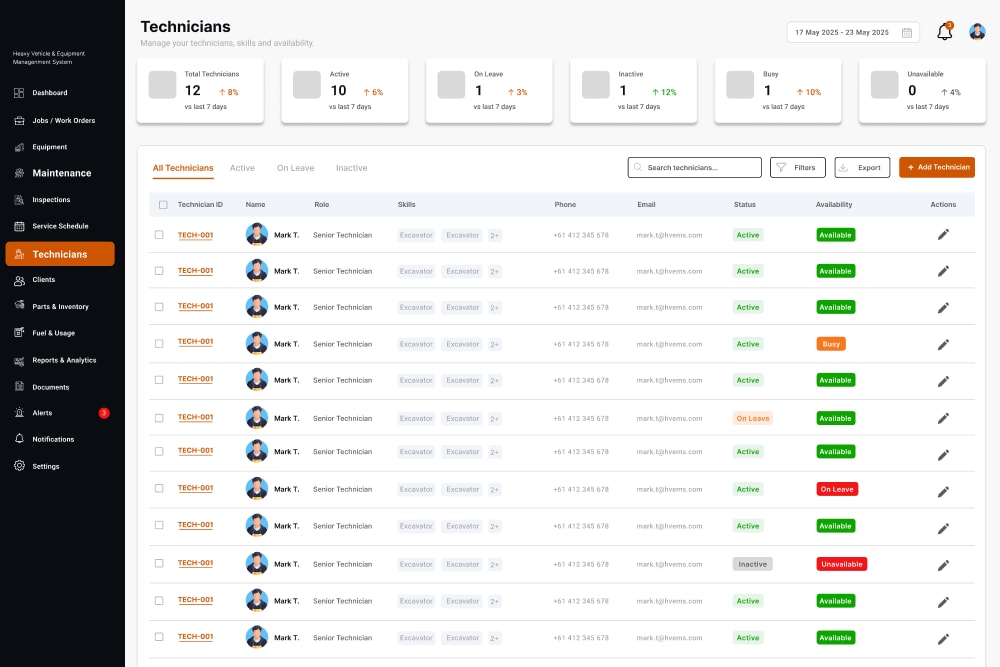
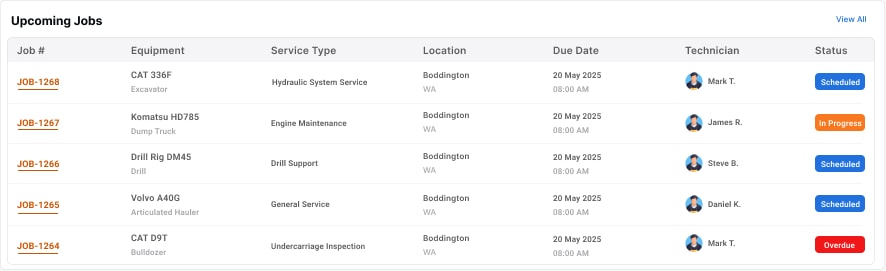
Manage the technicians who work for your company, assign them jobs and follow progress. Each technician has their own view of the jobs, schedule, equipment and inspections assigned to them.
- Technician roles, skills, status and availability
- Upcoming leave and unavailability
- Job assignment from the jobs and work orders list
- A technician view of assigned jobs and inspections
Internal technicians work within their company’s workspace. They don’t use the public marketplace.
For companies and their internal technicians
External technician marketplace
Connect maintenance needs with independent expertise.
When the job is too big, too far away or too specialised for your own team, finding the right outside technician takes time.
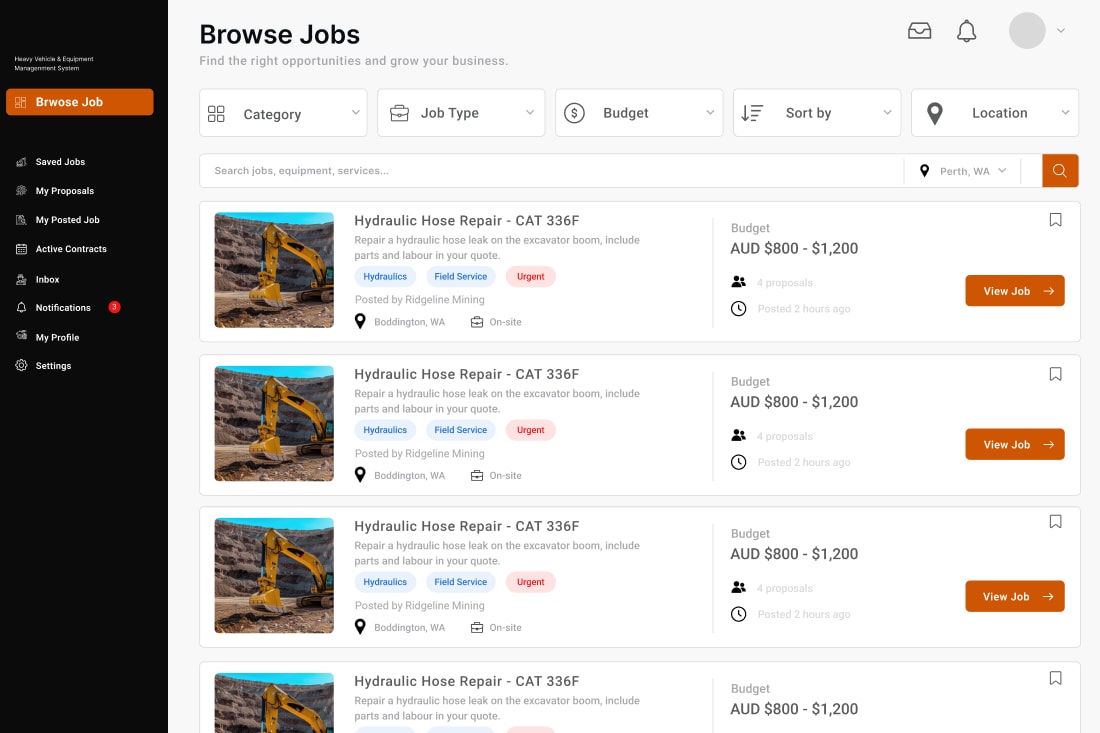
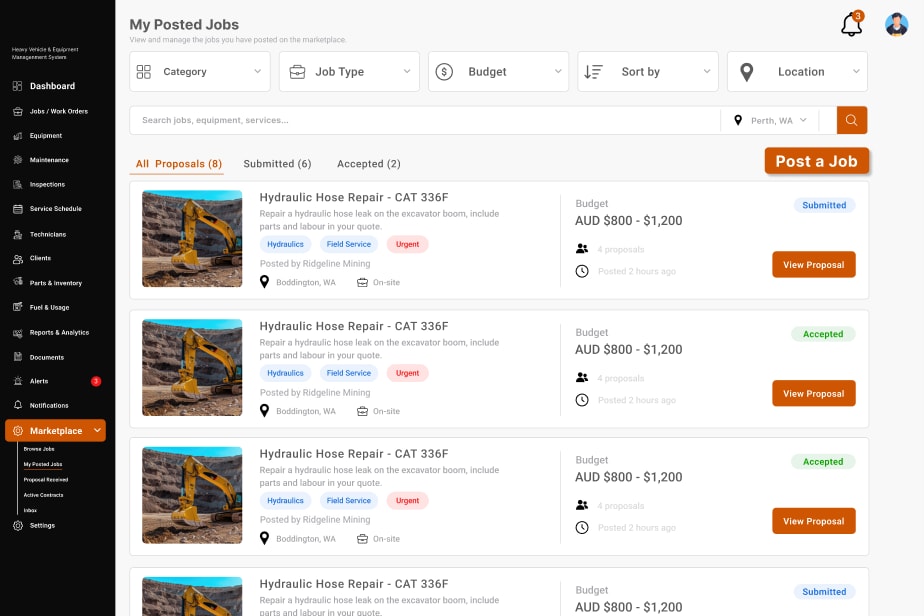
Companies can post jobs to the HVEMS marketplace when they need extra support. Independent technicians browse the jobs, review the requirements and budget, and send proposals.
- Filters for category, job type, budget and location
- Saved jobs, proposals and active contracts
- An inbox for marketplace messages
- Posted jobs show the number of proposals received
The marketplace connects jobs with technicians. It doesn’t guarantee work or match jobs automatically.
For independent technicians, and companies that need extra support

Job posting for individuals
Need work done? Start with a job.
If you own a truck, trailer or machine but don’t run a fleet, finding someone to work on it often means calling around.
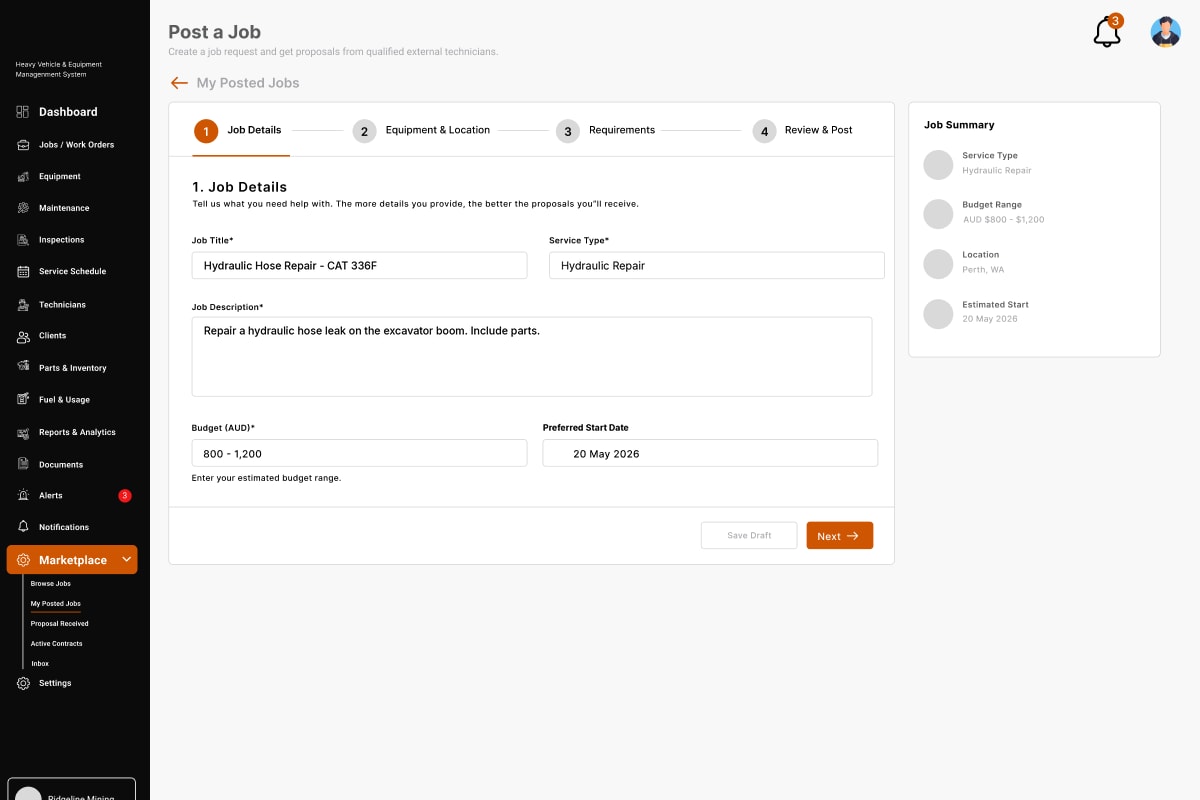
Describe the work, add the equipment and location, set your requirements and a budget range, and post it. Independent technicians can then send proposals for you to compare.
- Job details and service type
- Equipment and location
- Requirements, budget range and preferred start date
- Review and post, then compare proposals
For individuals, owner-drivers and customers
How the modules work together
- 1
Maintenance comes due
A scheduled service or inspection appears on the service schedule.
- 2
A job is created
The work becomes a job linked to the equipment, with a priority and due date.
Done by your own team
- 3
Assigned to an internal technician
Someone from your own team takes the job in the company workspace.
- 4
Completed and recorded
The job is tracked to completion and added to the equipment’s history.
Or through the marketplace
- 3
Posted to the marketplace
When you need outside help, the job goes to the marketplace with a budget range.
- 4
A proposal is accepted
Independent technicians send proposals and you choose who does the work.
Also in the company workspace
- Clients and sitesThe clients and sites your equipment works for.
- Parts and inventoryParts stock, and the parts used on each job.
- Fuel and usageUsage and meter readings for each machine.
- Reports and analyticsJob completion, maintenance cost and activity.
- DocumentsService and inspection reports, photos and certificates.
- Alerts and notificationsOverdue work and new activity, as it happens.
Screens from the HVEMS product designs, shown with sample data. The product is in development and may change.
See where HVEMS is heading.
HVEMS is in development. Tell us about your fleet, your maintenance and the gaps you’d like closed, and we’ll keep you up to date as the platform takes shape.